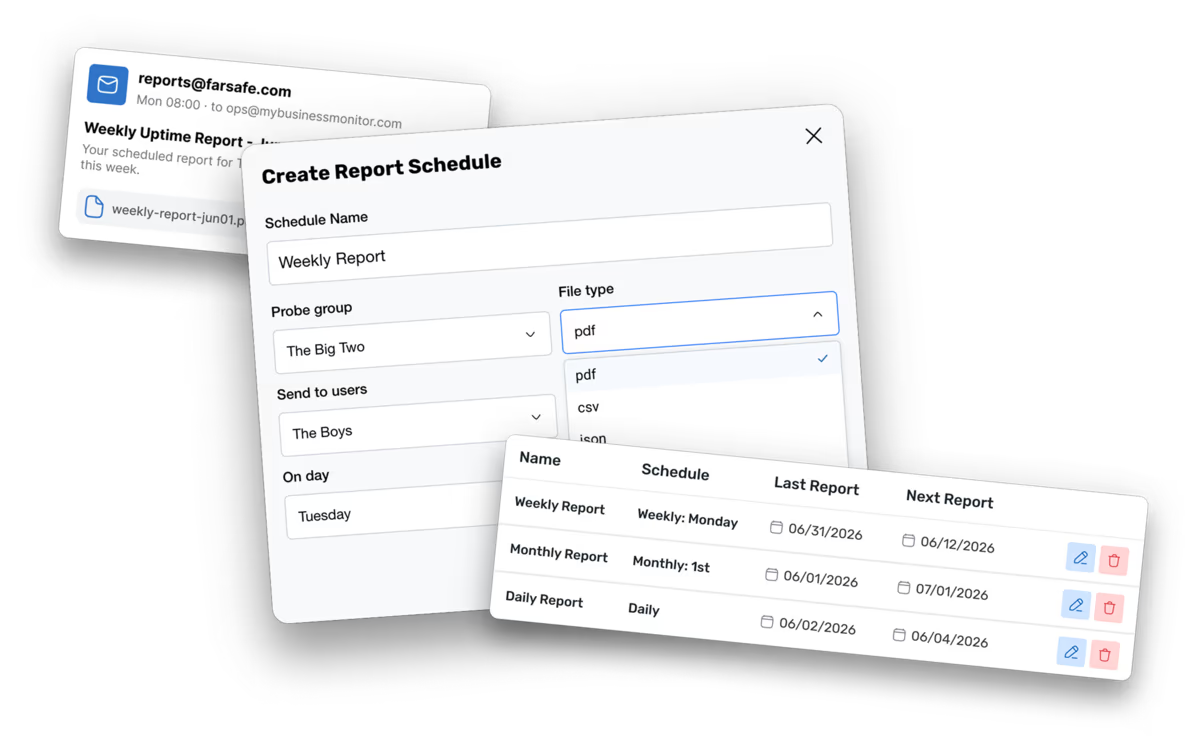
Automated reports delivered on your schedule
Build custom reports for your probe groups, pick a delivery frequency, and send them to the right people, all without touching the dashboard again.
Custom Reports
Build reports tailored to your probe groups and timeframes. Export in the format that fits your workflow.
- Select any probe group as the report scope
- Export as PDF, CSV, JSON, or HTML
- Set a custom date range or use rolling windows
- Includes uptime, response time, and outage data
- Preview report content before scheduling delivery
Flexible Schedules
Configure reports to run on a daily, weekly, or monthly cadence. Delivery happens automatically with no manual action required.
- Daily, weekly, and monthly delivery options
- Set a preferred delivery time and timezone
- Pause or resume schedules without deleting them
- Multiple schedules per report for different audiences
- Schedule history log with delivery status
Recipient Management
Send reports to team members or any email address. Control exactly who receives each scheduled report.
- Add registered users or custom email addresses
- Different recipient lists per schedule
- Remove recipients without affecting the schedule
- Recipients receive a direct download link
- Works with shared inboxes and distribution lists
Rich Report Content
Each report captures the key metrics your team needs: uptime, response times, and outage details, in a clear and readable layout.
- Uptime percentage per probe and overall
- Average and peak response time trends
- Full outage log with start, end, and duration
- Probe-level breakdown within the group
- Consistent formatting across all export types
Quick Setup
Create a report, define a schedule, and add recipients in a single workflow. Everything is configured from one place.
- Step-by-step report builder in the dashboard
- Schedule and recipients set in the same flow
- No integrations or external tools required
- Edit any part of a schedule without recreating it
- Instant confirmation when a schedule is saved
Probe Group Targeting
Scope each report to a specific probe group so every team receives data relevant to their services.
- One probe group per report for focused data
- Create separate reports for each team or product
- Group changes reflect in the next report run
- Supports any probe group size
- Combine with multiple schedules for broad coverage
