Clear and simple status pages for service updates
Publish service availability, incidents, and maintenance information in one place. Help users stay informed and reduce support requests with easy-to-manage status pages.
Quick Setup
Create and publish a status page in minutes with simple configuration steps and minimal setup.
- No code, copy, or template wiring required
- Choose a name, slug, and visibility in one step
- Instantly shareable public URL on creation
- No custom domain or DNS changes required
- Edit and republish at any time
Performance Metrics
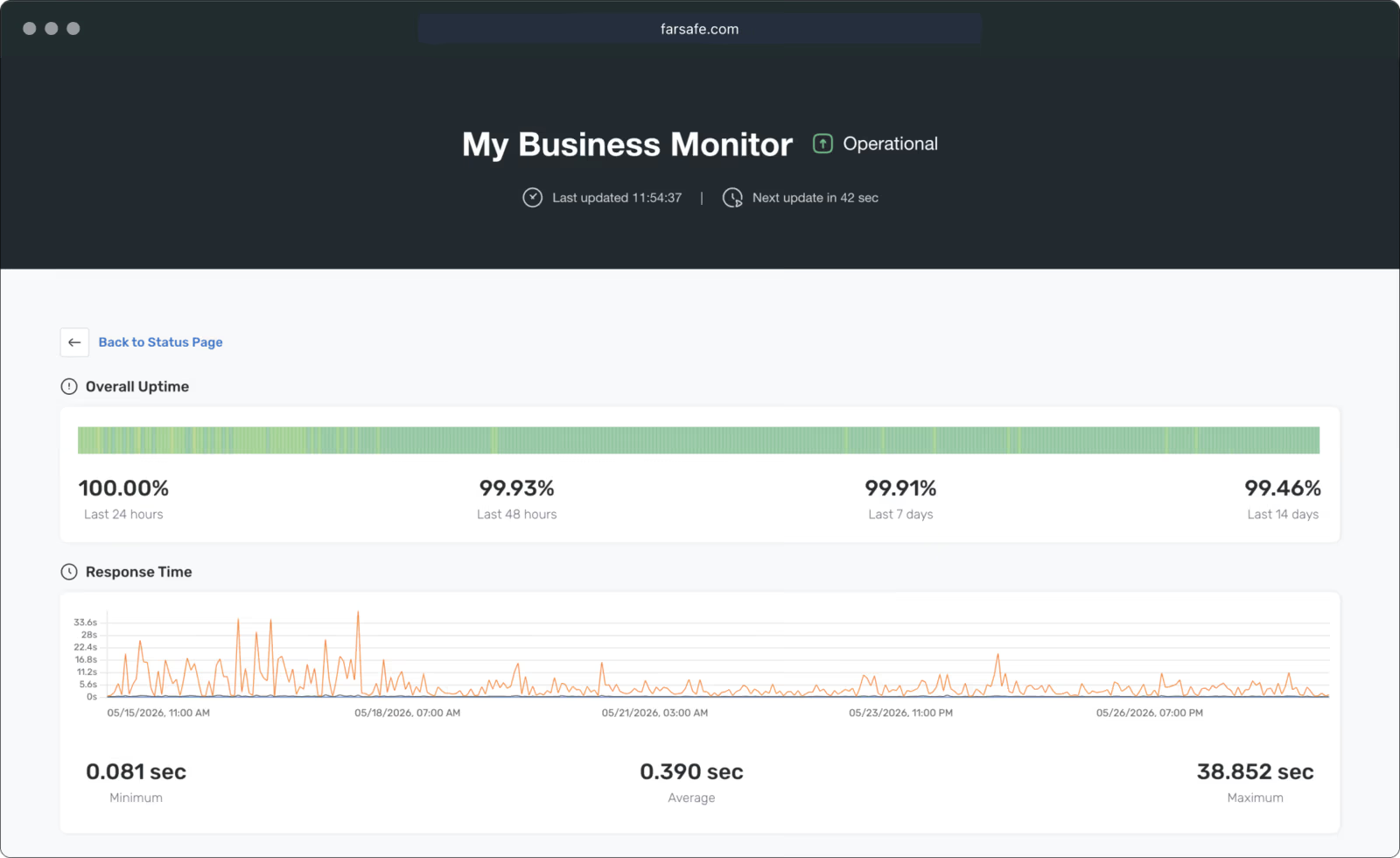
Display overall uptime and average response time for the selected probe group to provide a quick service overview.
- Overall uptime percentage at a glance
- Average response time across all probes in the group
- Timeframe selector: past day, week, or month
- Live status badge showing current operational state
- Auto-refresh keeps data current without reloading
Access Control
Create public or private status pages based on your needs. Public pages can be protected with a password for controlled access.
- Public pages visible to anyone with the link
- Password-protect pages for internal or partner use
- Toggle visibility without deleting the page
- Shareable URL stays stable across visibility changes
- Audit who accessed password-protected pages
Targeted Monitoring
Select specific probe groups to display on each status page for flexible service visibility and better organization.
- Assign one or more probe groups per status page
- Show only the services relevant to each audience
- Group by team, region, or product area
- Multiple status pages for different stakeholder views
- Changes to groups reflect on the page immediately
Public Link Sharing
Share a direct link to your status page so users and stakeholders can easily check current system status.
- Permanent URL for bookmarking and sharing
- Share via email, docs, or support portal
- No login required for public pages
- Embed link in your product or help center
- Short, clean URL format
Timeframe Options
Provide flexible time range options so users can review status data for the past day, week, or month.
- Switch between 24-hour, 7-day, and 30-day views
- Uptime and response metrics recalculate per range
- Outage history scoped to the selected window
- Users choose their preferred timeframe on the page
- Historical data retained for 3 months (Individual) or 12 months (Business, OSS)
